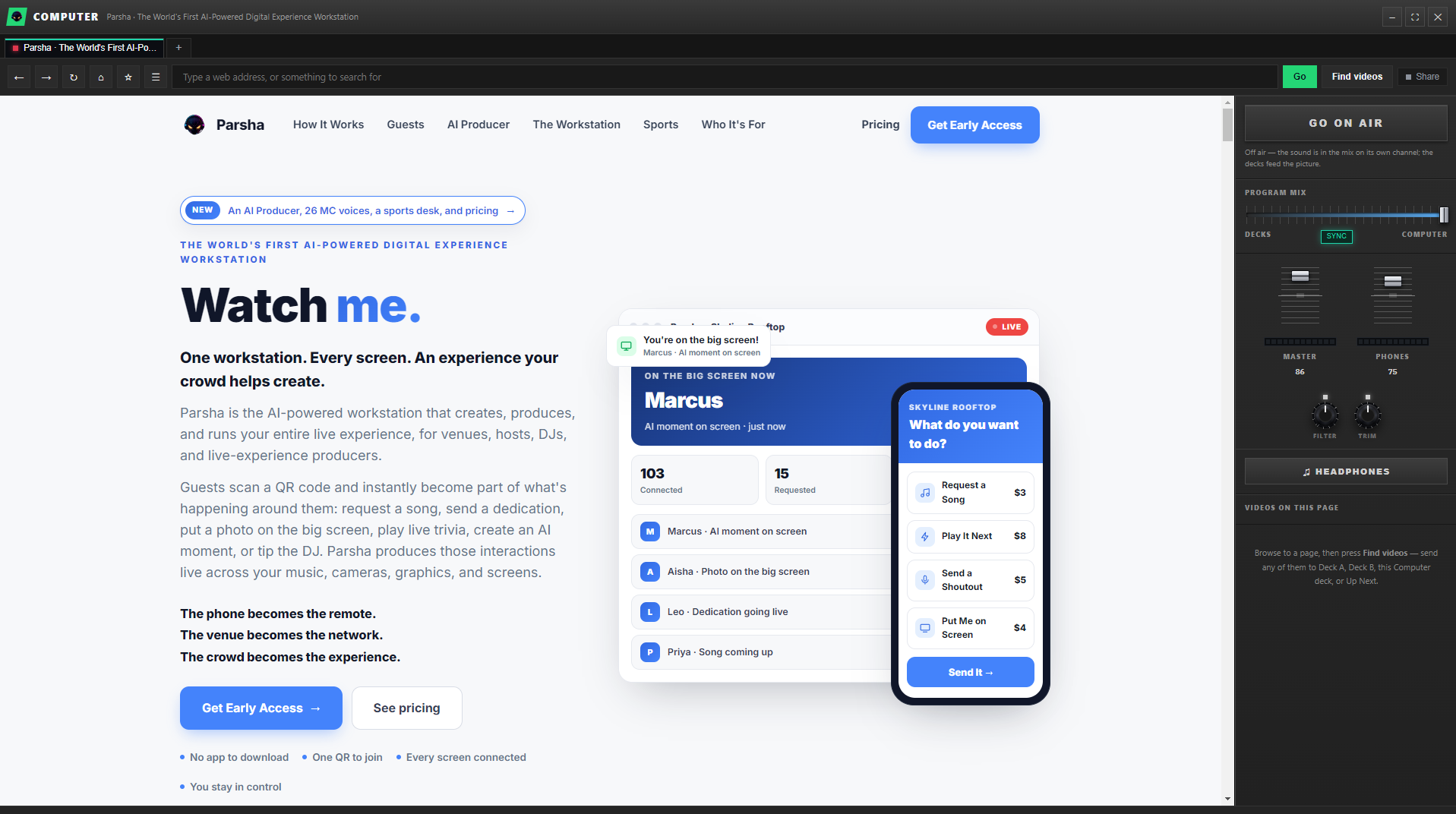
NewAn AI Producer, 26 MC voices, a sports desk, and pricing → The world's first AI-powered Digital Experience Workstation

Watch me.

One workstation. Every screen. An experience your crowd helps create.

Parsha is the AI-powered workstation that creates, produces, and runs your entire live experience, for venues, hosts, DJs, and live-experience producers.

Guests scan a QR code and instantly become part of what's happening around them: request a song, send a dedication, put a photo on the big screen, play live trivia, create an AI moment, or tip the DJ. Parsha produces those interactions live across your music, cameras, graphics, and screens.

The phone becomes the remote. The venue becomes the network. The crowd becomes the experience.
No app to download One QR to join Every screen connected You stay in control
Introducing Parsha
Watch on YouTube ↗
A new category

Think of it like a DAW. But for the whole room.

A Digital Audio Workstation gives a producer everything to create and perform music from one app. Parsha is the same idea for live experience: screens, broadcast, DJ sets, cameras, AI content, a voice MC, and audience interaction, produced and run live from one AI-powered workstation.

Most technology takes people out of the room and into their phones. Parsha uses the phone as a doorway back in. A guest's request becomes a screen coming alive; a dedication becomes a moment the whole room sees.

One workstation. Hundreds of phones. One shared experience. That is Parsha.

Built for the nights people remember WeddingsClubs & LoungesConcertsGame DayChurchesFestivalsCorporateHotelsArenas
219production types the AI can build from a brief
26voice MC personas, from wedding host to sports announcer
755sound effects ready to fire
100timed visual effects for scene transitions
99AI mix styles in the Big Ben production suite
43scoreboard templates for game day
How it works

Set up the venue. Let Parsha connect the room.

Parsha brings the audience, screens, sound, cameras, and operator together inside one live system.

01

Describe the event

Tell Parsha what you're running, from a wedding to game day. It builds the production: scenes, guest offers and pricing, screens, media, and show settings. Connect your displays and sound to the Control Room.

02

Guests scan one QR

No app to install. Guests scan the code and open the live experience for that room: music, messages, media, trivia, AI moments, tips, and a live view of the screens.

03

Parsha produces it

Every interaction flows into the Control Room. The AI Producer understands what arrived, where it belongs, and when it should air. You set the rules and approve what matters.

04

The entire room responds

The song changes. A screen comes alive. A camera switches. The MC calls out the birthday table. Someone sees themselves twenty feet tall, and the audience is no longer watching the event. They're inside it.

The guest experience

Give everyone in the room a way to participate.

No finding the DJ, interrupting the host, waving at a camera operator, or hunting for a hashtag. Everything starts from one simple guest menu.

You're on the big screen!The Crew · Live camera
Parsha · Skyline Rooftop LIVE
On the big screen now
THE CREW
On the live camera · just now
103
Connected
18
Requested
6
Live moments
Skyline Rooftop
What do you want to do?
Request a Song$3
Play It Next$8
Send a Shoutout$5
Put Me on Screen$4
Send It →

Request music

Guests browse the night's library, request, vote, or pay to play it next, without crowding the booth. Your DJ or the AI DJ keeps control of the set.

Send a shoutout

Birthdays, anniversaries, dedications, hype. Guests write it once and Parsha turns it into a branded on-screen moment, and the voice MC can read it to the room.

Get on the big screen

Send a photo or clip, drop it into a themed video template, or book a live-camera VIP moment for the whole table. AI moderation checks it; the host approves it.

Play Q&A Live trivia

Answer host-run trivia from your phone in real time, with rounds, teams, and a live leaderboard on the big screen.

Watch it on your phone

Stepped out, or stuck behind a pillar? Guests can watch any screen in the venue live on their phone, with or without sound.

Guest AI Studio

Upload a selfie or group photo and turn it into AI art or a short clip, then send it to the venue screens. Credits unlock the studio for the night.

Take the mic

Sign up for karaoke from your phone, see your place in the rotation, and get a heads-up when you're next to sing.

Tip, upgrade & unlock

Turn participation into optional revenue. Hosts choose what's free, what's paid, and what isn't offered at all.

Play It NextBig Screen MomentVIP CameraAI StudioVideo TemplatesDJ Tip
Local, not virtual

Your crowd shouldn't disappear into their phones. Their phones should make the room better.

Parsha isn't another social network competing for your guests' attention. It's a local social experience built around the place they're already in.

The interaction may start on a six-inch screen. But the payoff happens across the room. On the LED wall. On the projection screen. Through the speakers. On the camera feed. With the people standing beside them.

Guest AI moments

Don't just put guests on screen. Make them part of the story.

A birthday becomes a cinematic entrance. A group photo becomes an animated venue takeover. A wedding guest becomes part of the couple's story. A fan becomes part of game day. Parsha turns ordinary guest media into branded AI moments designed for the venue, event, or theme.

Get Early Access →
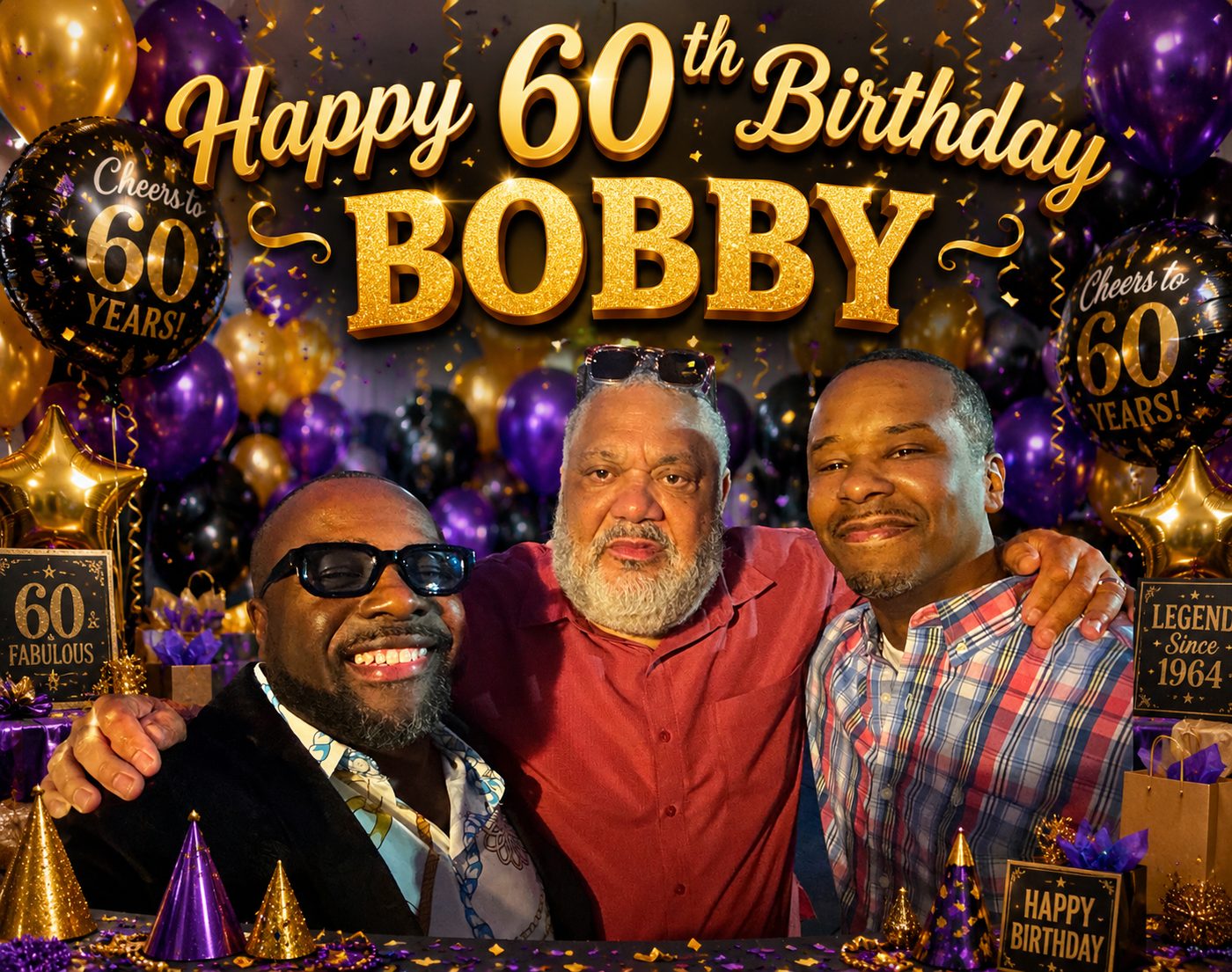

A birthday transformed into a venue-wide AI moment
The Brothers · 60th
A group photo turned into part of the show
The Sistas · Cancun
A selfie becomes a moment the room remembers
Auntie · life-ing

Create experiences people record, repost, tag, and come back to experience again.
New · AI Producer & voice MC

Your show has a producer. And now it has a voice.

Give Parsha a brief and it builds the production. Then the AI Producer runs alongside the DJ: it brings in scenes, features guest media, cuts cameras, and rides the mix. The voice MC works the room on the mic, and takes your instructions by voice too.

  • From brief to full production. 219 production types across 18 categories, from wedding receptions to fan-cam game days, each with its own scenes and guest offers.
  • 26 MC personas. Club, wedding, corporate, awards, karaoke host, sports announcer, livestream co-host and more, each with its own voice and style, plus a hologram face that speaks with it.
  • Run the workstation by voice. Ask for a scene, a song, or a camera and it happens. Anything destructive waits for your confirmation.
  • Nothing off the record. Every AI move lands in the AI Activity log, and the Show Status bar tells you what the AI is working on right now.
AI Producer · Skyline Rooftop
ProducerCrowd energy rising · cut to Cam 2, dance floor wide
ProducerFeatured guest photo from Table 6 on the LED wall
MC"Put your hands up for the Ortiz party, happy birthday Dani!"
You"Hold the next shoutout until after this song."
ProducerQueued Birthday Takeover scene for the drop
ClubWeddingCorporateSports AnnouncerKaraoke HostAwardsLivestream+19 more
Literally: Watch Me

When we say "Watch me," we mean it.

Flip on Watch Me and Parsha's AI DJ stops mixing quietly in the background. It performs. Stem mashups, filter sweeps, turntablism, producer tag drops: on-screen hands work the decks while the room watches, then the set steps back into the mix.

  • It's a real feature, not a demo reel. Watch Me is a setting inside BD-1122: turn it on and the AI performs live, on the actual show.
  • A brain behind every round. The Mix Brain picks the routine for the moment across 13 genre families, at the pace you choose: whole records, radio, club, or battle.
  • You choose what performs. Untick any surface you don't want in the show. Each flourish closes itself and the mix keeps moving.
Watch Me showcase · BD-1122
Big Ben · live stem mashup
Double BB · beat bridge
KK-629 · filter sweeps
Scratch Logic · AI turntablism
Tag Studio · producer tag drops
Sound EFX · risers & impacts
Pace · Club  ·  Showpiece frequency · Every transition
You stay in control

Parsha runs the production. You run Parsha.

Audience participation without control becomes chaos. Every guest interaction can pass through your rules, moderation, pricing, and approval before it reaches the room.

Approve it. Then air it.

Requests arrive in your Control Room. Review, approve, schedule, or reject them, or let Parsha automatically handle interactions that meet your rules. Then send the moment to Program.

Keep control of the music

Your library stays yours. The AI DJ builds and beat-matches a set from your own local music, from a short brief or one of its scenario presets. Human DJ, AI DJ, or both: you decide who has the decks.

Operator roles

Give each person on your team the right access: admins run the account, operators run the show, viewers watch it. The AI asks before anything it can't undo.

Run the room from one place

Music, video, graphics, guest content, cameras, AI, audience interaction, scene automation, and live streaming, all connected through the Parsha Control Room.

Connect the whole room

Every screen. Every phone. Every stream.

Parsha works with the displays, cameras, and phones already in the building, with nothing to install on any of them.

Any screen, a 6-digit code

Smart TVs, streaming sticks, kiosks, projectors, LED walls: open a browser, enter the code, and it's part of the show. Screens stay in sync with each other.

Phones become cameras

Turn any phone into a live camera angle for the Control Room, on Wi-Fi or cellular data, without an app.

Go live everywhere

Send Program to the venue screens and stream it to YouTube, Twitch, TikTok, or Mixcloud, with recording and a multiviewer wall of every output.

Your controllers, your remote

Plug in a Pioneer, Numark, Hercules, Denon, or American Audio controller, and run timelines and Up Next from your phone with Mobile Control.

One platform, an entire ecosystem

This is the workstation.

Parsha isn't one oversized app pretending to do everything. It's a connected family of professional tools around one shared live environment. Each works on its own; together they're a Digital Experience Workstation.

Command center

Control Room

The heart of Parsha. Preview and Program, a Scene Editor that layers media, cameras, phones, lower-thirds and live trivia, 22 transitions and 100 timed visual effects, a T-bar and TAKE, plus a broadcast console that shows what every screen is actually receiving.

Parsha · Control Room
The Parsha Control Room interface
AI DJ performance system

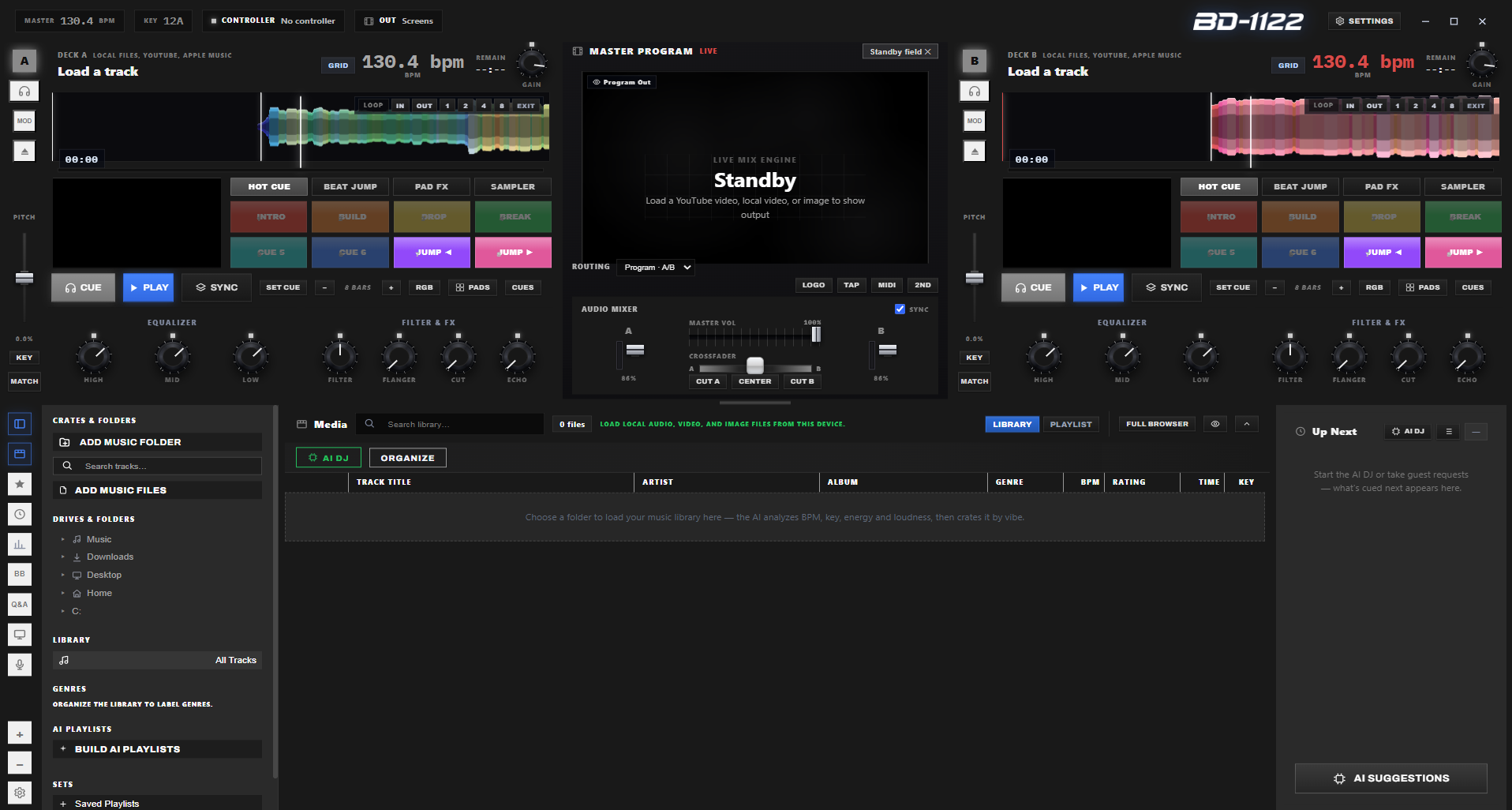
BD-1122

A professional DJ environment for human DJs and autonomous AI alike: up to four decks, a library with BPM and key, waveforms, hot cues, key-lock, EQ, FX, performance pads, karaoke mode, and AI DJ autopilot. Its music and timing feed the Control Room so the whole show responds to the mix.

BD-1122
The BD-1122 AI DJ performance system interface
Mix production suite

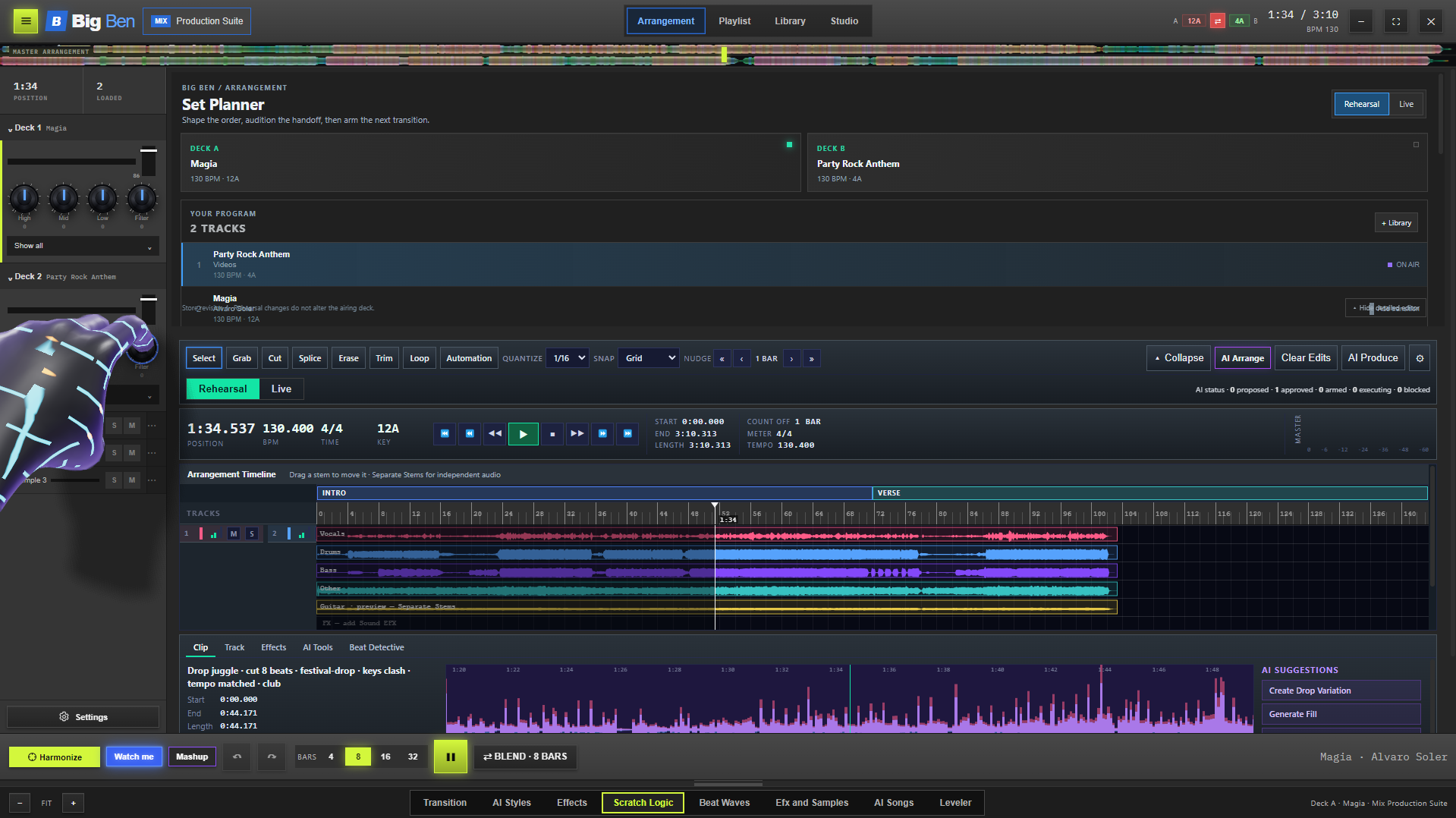
Big Ben

A stem-based production environment: a six-stem mixer, transition presets, a timeline and set planner, and 99 AI mix styles. The AI builds the plan; a human changes any part of it. It can even generate original songs for the night.

Big Ben
The Big Ben mix production suite
Audience intelligence

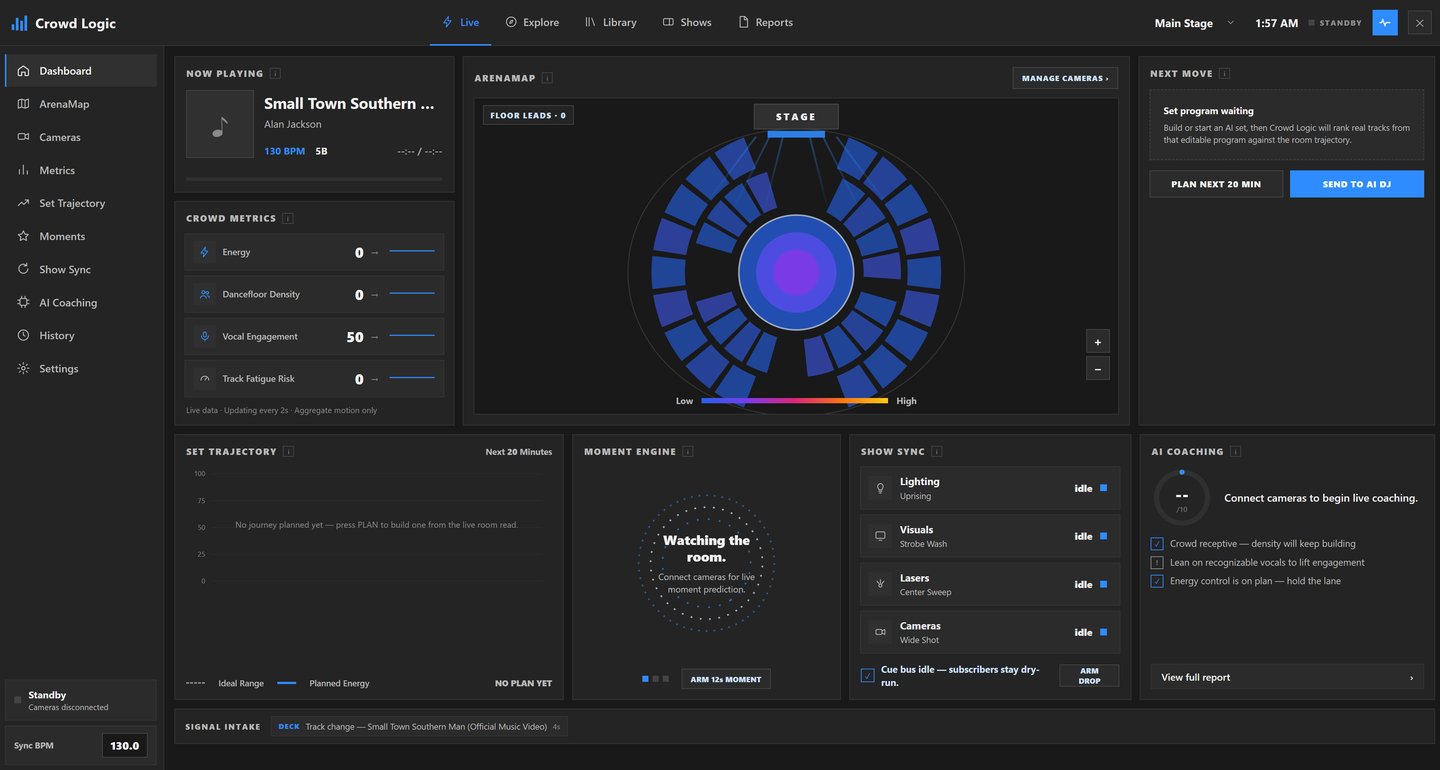
Crowd Logic

Privacy-conscious audience analysis that reads energy, dance-floor density, and movement, guiding the AI DJ, AI Producer, visuals, and pacing. Not just "what track plays next," but "what does this room need next?"

Crowd Logic
The Crowd Logic audience-intelligence dashboard

Create, edit, and perform

Studio and show tools that send their work straight into the live production.

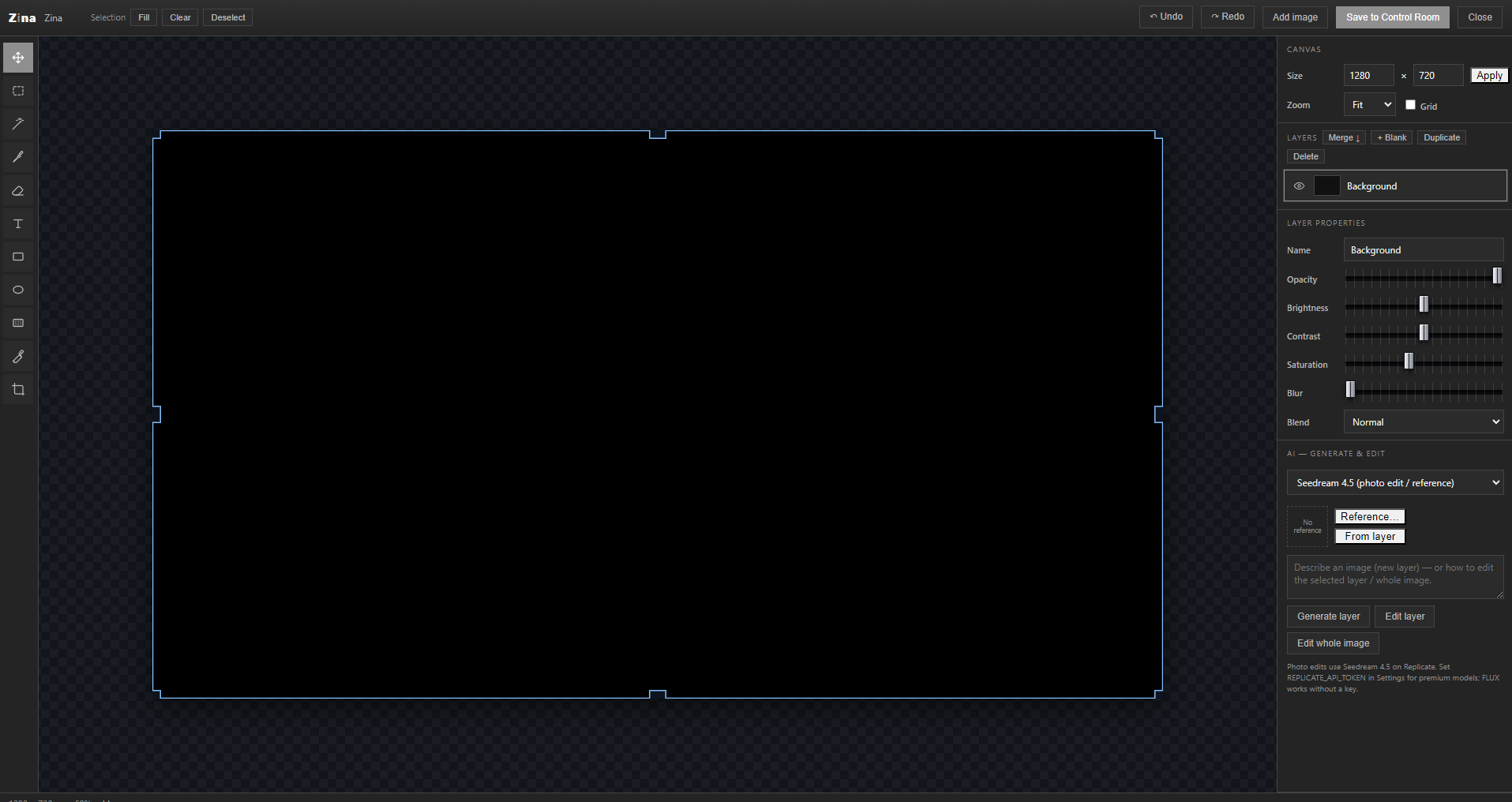
Zina
Zina AI visual studio

Zina AI visual studio

A layered canvas that blends design controls with generative AI: overlays, photo edits, backgrounds, and event graphics, saved straight to the Media Library.

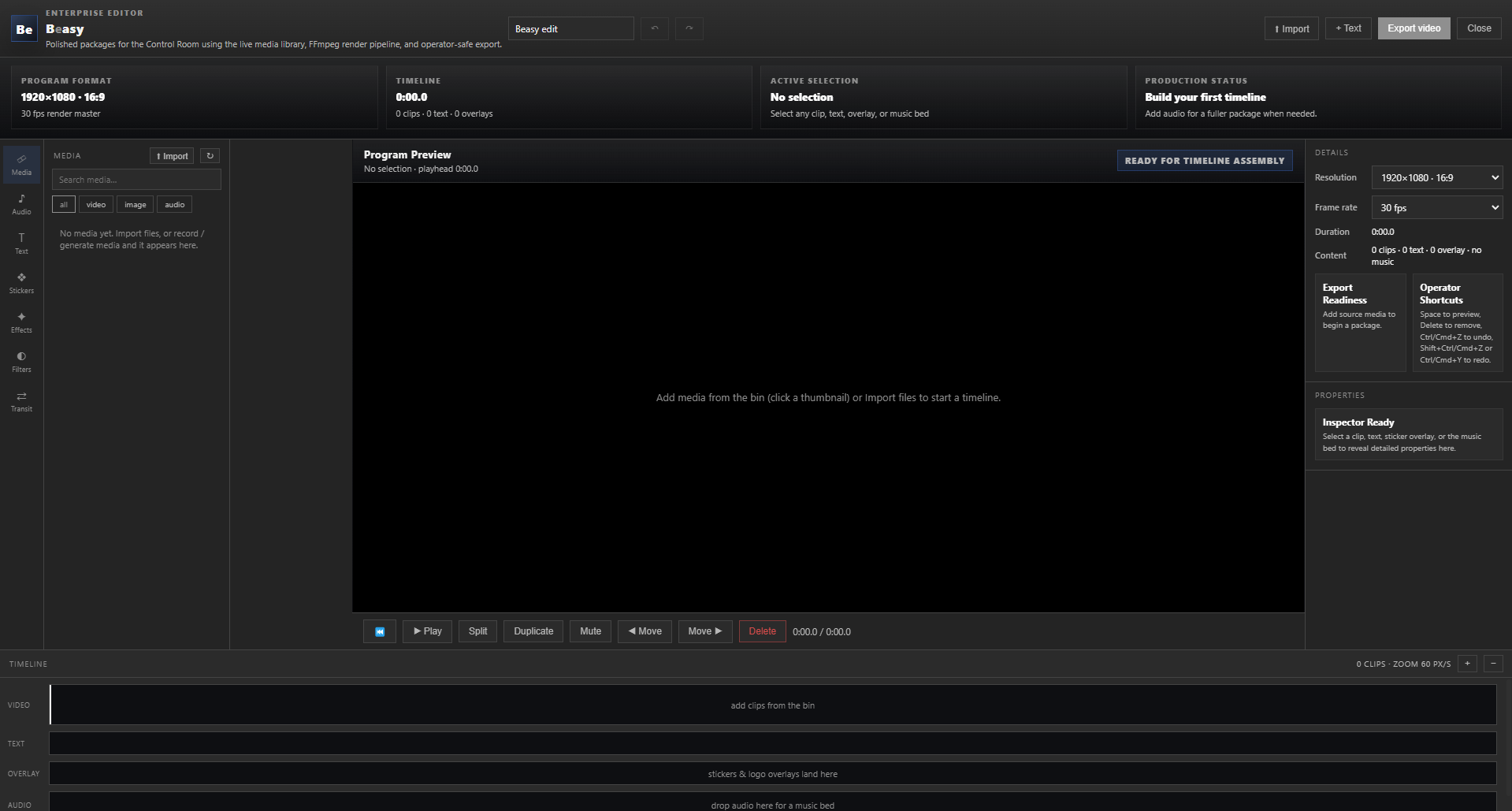
Beasy
Beasy video editor

Beasy Video production

A timeline video editor for screen packages, promos, venue visuals, and recaps, exported to finished MP4 and sent back into the Control Room.

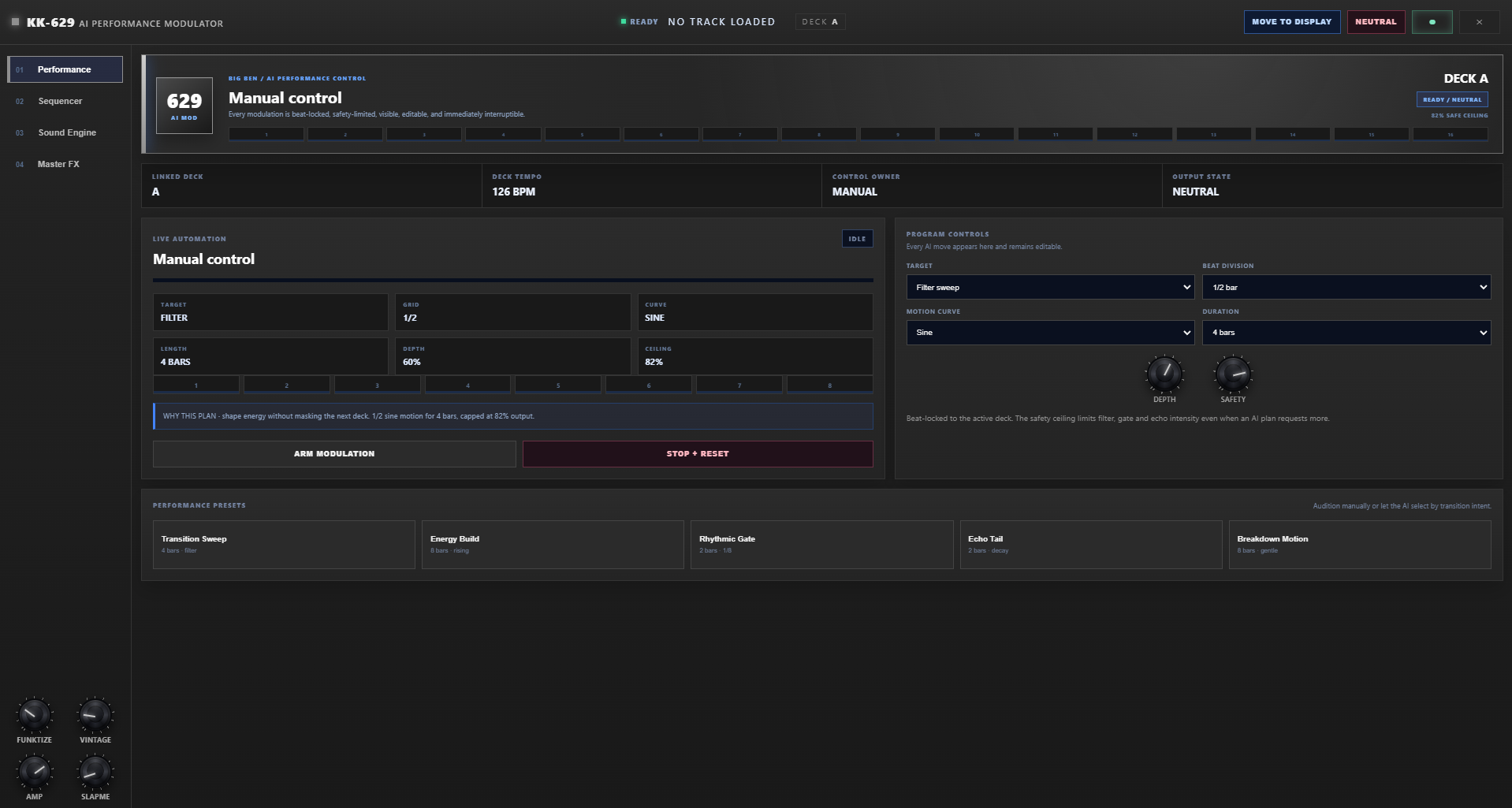
KK-629
KK-629 performance FX

KK-629 Performance FX

A beat modulator and wavetable synth with a 16-step sequencer, locked to the deck's tempo. Every AI decision stays visible and editable.

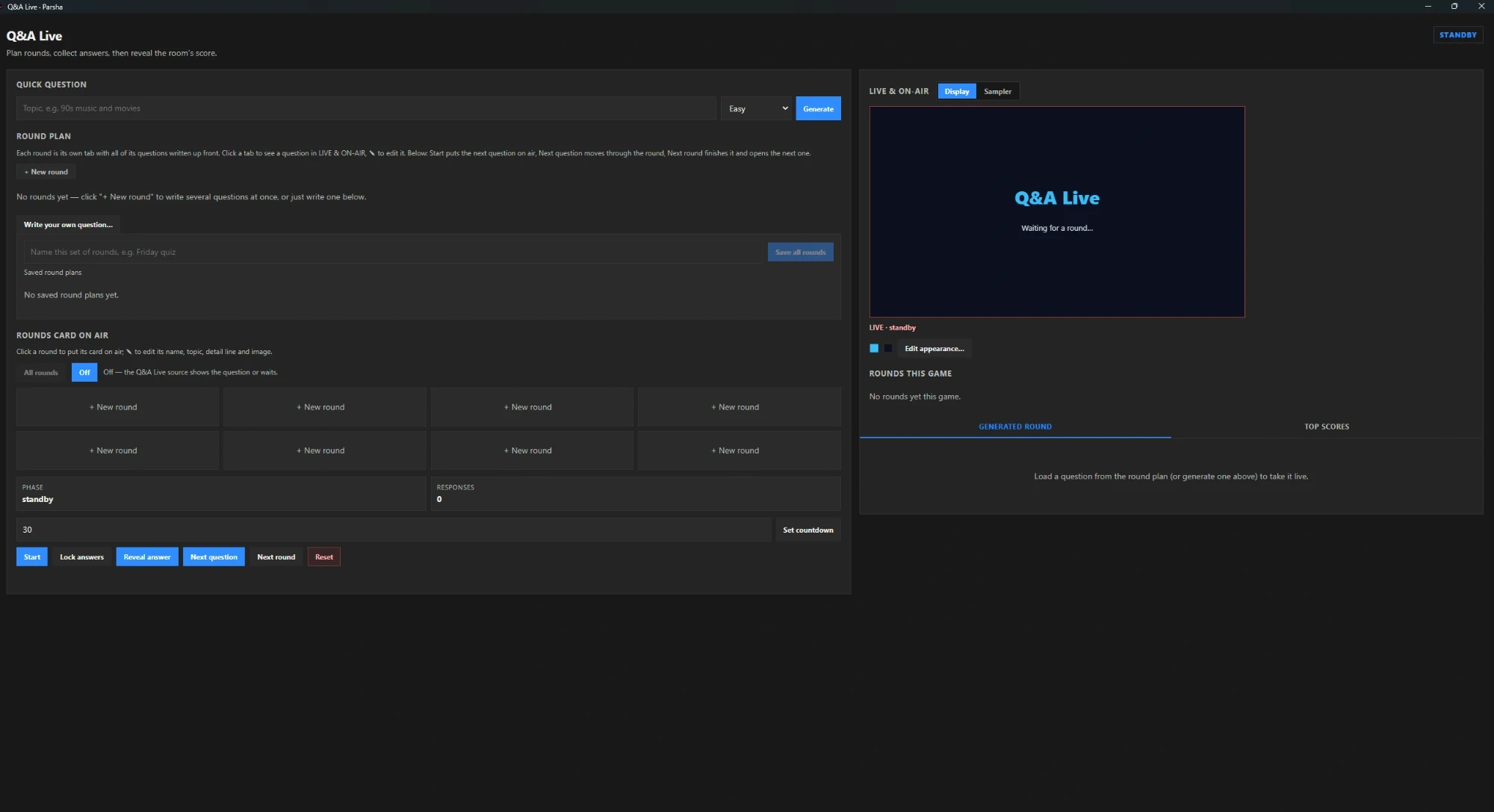
Q&A Live
Q&A Live trivia console

Q&A Live Live trivia

Plan rounds or generate questions with AI, collect answers from guests' phones, then reveal the answer and the room's leaderboard on screen.

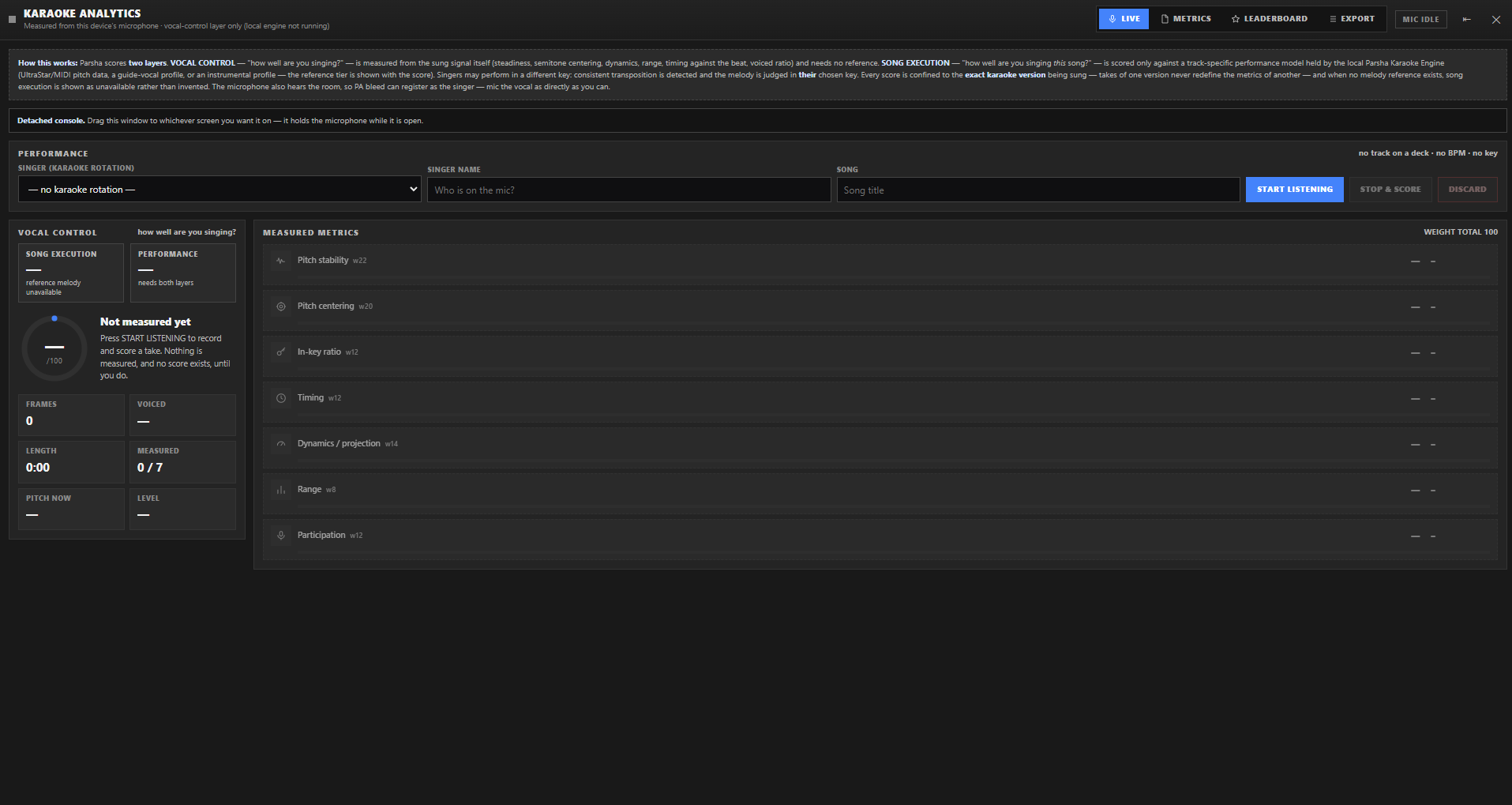
Karaoke Analytics
Karaoke Analytics console

Karaoke Analytics Vocal scoring

Scores each singer's vocal control from the room microphone: pitch stability, centering, timing, dynamics, and range, with a leaderboard for the night.

Computer
The in-app Computer browser

Computer In-app browser

A real browser inside the workstation. Find videos on any page and send them to a deck or Up Next, or put the page itself on air with its own program mix.

Even more inside the workstation

A full production floor of specialist tools, all reachable from the same Control Room.

Insert LaneThe AI drops beat-matched hooks, stabs, and tags from similar tracks, mid-mix.
Double BBA groovebox and sequencer the AI uses to bridge beats between songs.
Scratch LogicAn AI turntablist engine: scratches and cuts, timed to the beat.
EFX Library755 sound effects with a waveform editor, fired live or by the AI.
Tag StudioGenerate spoken producer tags and drop them into the mix on demand.
PAJ-SBA studio-style audio mixer with mic and line inputs, gate, EQ, and compression.
The WallEvery photo your guests send, moderated and ready to push to screen.
Karaoke ConsoleSinger rotation, wait times, and a key for every singer.
Live chat co-hostThe AI reads your livestream chat and proposes replies you approve.
Mobile ControlA phone remote for timelines, Up Next, and Big Ben, paired by QR.
MultiviewerA monitor wall with a tile for every screen, showing what it really receives.
AI ActivityA live audit trail of every move the AI makes.
New · Arenas sports desk

Game day, produced.

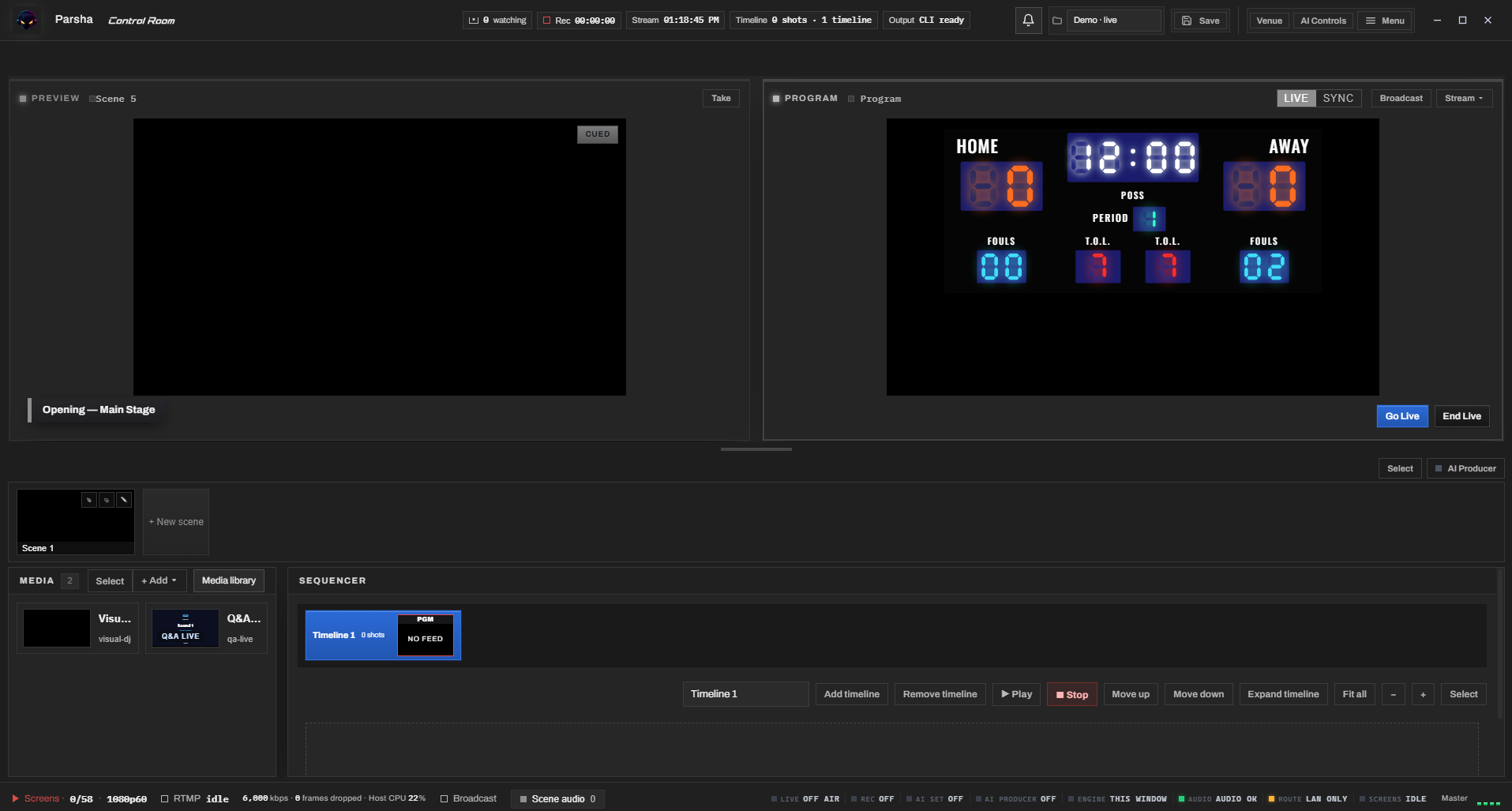
A full sports desk inside the workstation for sports bars, school gyms, leagues, and arenas: scoreboards, clocks, instant replay, sound, and trivia between plays, all keyed into the same live production.

  • Scoreboards and clocks for nine sports and custom games, with one authoritative clock every screen agrees on.
  • Instant replay from a rolling two-minute buffer, down to quarter-speed slow motion.
  • Scoreboard Designer with 43 templates, including LED arena boards, plus an AI designer for your team's look.
  • A sampler and Q&A Live trivia for the breaks, and an AI Producer seat that can switch cameras and graphics for you.
Arenas · Home vs Away
Who it's for

Built for anyone responsible for the energy in the room.

Nightlife

Clubs & lounges

Turn every table into a participant. Guests request tracks, send shoutouts, celebrate each other, and appear on your screens, while operators keep complete control.

Celebrations

Weddings & private events

Song dedications, messages to the couple, photos, AI moments, and a voice MC that reads every dedication. One QR connects the whole reception.

Performers

DJs & MCs

Stop taking requests shouted over a monitor. Requests arrive digitally, shoutouts are ready when you need them, and guest moments hit the screens without breaking the mix.

Faith

Churches & campuses

Announcements, service graphics, and your livestream on every screen, a praise-set preset for the music, and one operator running the whole room from a single workstation.

Game day

Sports bars & arenas

Scoreboards, replays, fan-cam moments, trivia between plays, and sponsor spots, connecting game-day screens to the people sitting beneath them.

Live

Concerts & festivals

Turn thousands of phones into one interactive layer around the show: fan messages, camera moments, and big-screen participation, streamed out live too.

Hospitality

Hotels, resorts & dayclubs

Give rooftops, pool parties, lounges, and ballrooms a connected digital experience, without building a custom platform for every activation.

Corporate

Conferences & AV crews

Questions, recognition, awards, camera moments, and branded AI experiences, part of the production rather than a separate app, for any client's room.

Food & drink

Bars & restaurants

Turn a slow night into a connected one. Tables request music, play trivia, and celebrate on your screens, and stay for one more round.

The shift

The screens are already there. Parsha gives people a reason to look at them.

Venues spent millions installing screens. Events rent enormous LED walls. Arenas surround audiences with displays. But most of the time, those screens simply broadcast at people.

Parsha turns them into something people can participate in. It's no longer "Watch this." It becomes:

Watch us.
One workstation

Everything a live room needs. Nine tools, replaced.

What venues buy today to do what Parsha does, from nine different vendors that don't talk to each other, plus eleven things you can't buy anywhere else.

CapabilityTypical cost todayIn Parsha
DJ performance software$299–499 one-time✓ BD-1122 · Big Ben · KK-629
Live switching, streaming and replay~$1,200 one-time✓ Control Room
VJ and visuals software~$870 one-time✓ Scene Editor · 100 visual effects
Broadcast graphics and scoreboards~$4,999 + $999/yr✓ Arenas · Scoreboard Designer
Digital signage, 10 screens$2,400–3,600/yr✓ Any screen, one 6-digit code
Social wall on the big screen~$2,340/yr✓ The Wall · guest menu
AI photo booth~$1,810/yr✓ Guest AI Studio
Trivia and karaoke~$2,990/yr✓ Q&A Live · Karaoke
Song requests and multistreaming~$790/yr✓ Guest menu · Go Live
An AI producer that runs the showNot sold anywhere✓ AI Producer
A voice MC with 26 personasNot sold anywhere✓ Voice MC
An AI DJ that performs on screen with 3D handsNot sold anywhere✓ Watch Me · Mix Brain
AI turntablism: scratches and cuts timed to the beatNot sold anywhere✓ Scratch Logic
AI stem mashups planned bar by bar, in 99 stylesNot sold anywhere✓ Big Ben AI Arrange
Crowd reading that steers the mix and the showNot sold anywhere✓ Crowd Logic
A full production built from a one-line briefNot sold anywhere✓ 219 production types
Run the entire workstation by voiceNot sold anywhere✓ Voice control
A hologram face that speaks for the MCNot sold anywhere✓ Assistant Face
Guests watch any venue screen live on their phoneNot sold anywhere✓ Watch Me for guests
Scoreboards designed by AI from your team's lookNot sold anywhere✓ Scoreboard Designer
Total~$7,600 up front + $11,300–12,500 a yearOne workstation

Typical list prices of leading products in each category, checked September 2026.

Pricing

Own the workstation. Earn from the room.

Plans from Solo to Venue / Campus with the Host Hub built in, a buy-it-outright option, Enterprise for venue groups, and a founding offer for the first 25.

Pricing is open to everyone on the waiting list. It takes a moment, and you'll go straight to the plans.

Join the waitlist to see pricing →
Questions

Good to know

Do guests need to download an app?

No. Guests scan a QR code and the guest menu opens in their phone's browser. Venue screens run in a browser too; only the operator's workstation runs the Parsha desktop app.

What do I pay for AI?

Parsha's AI features run on your own AI provider keys, so you pay the providers directly, at their price, with no Parsha markup.

Does it work on a Mac?

Yes. The Parsha workstation runs on both Windows PCs and Macs. Everything guests and screens touch works in any browser on any device.

Where can I see pricing?

Plans and pricing are open to everyone on the waiting list. Join the waiting list and you'll go straight to the plans, including the founding offer for the first 25 venues.

Parsha for Windows & macOS

Bring the workstation to the venue you already have.

Parsha runs on your Windows or macOS production machine and connects to the screens, sound, cameras, and media already inside your venue. Feed your screens through the cloud or straight over your venue's own network.

◆ Windows & macOS◆ Any browser for screens◆ Local media library◆ Operator controlled
Parsha · Control Room
Parsha running the venue Control Room on a desktop machine
Why it matters

From audience to community.

A great event isn't memorable because people watched the same thing. It's memorable because they experienced something together.

Someone made a request. Someone saw their name. Someone got pulled onto the screen. Someone dedicated the song. Someone across the room reacted. For a moment, hundreds of separate people became part of the same experience.

That is what Parsha is built to create.

Watch me.

Give the room something to experience together.

Turn phones into participation. Turn screens into shared spaces. Turn guests into part of the show, and every event into something the audience helps create.